understudy_

a stand-in user, on your live product

Your users don't file bug reports. They leave.

understudy sends a stand-in user through your live product — or your website — someone with a goal, a short attention span and somewhere else to be. It gets stuck where a real person gets stuck, gives up where they'd give up, and hands you a report where every finding cites a screenshot you can open.

runs in claude code and claude cowork · drives a real browser · never sees your credentials

session.log — persona: novice

[00:40] The menu says Meals, Body, Reports, Chat, Pages, Skills. That is a lot of things and I don't know what half of them are.

[02:41] It worked. I typed what I ate in a normal sentence and it gave me the calories back. That's the thing I'd have had to look up myself.

[05:10] I'm being sold something I can't name.

[07:00] I had to read the legal page to find out what the feature does.

She reached the thing the product is for in under three minutes — and still couldn't tell you what half of it was.

the product is fictional; the shape is not.

one traversal, many scorings

One session. Twelve questions answered.

Driving the product is the expensive part, so understudy does it once and scores that single recording through as many lenses as you asked for. Adding a question costs minutes, not another hour in the browser. A product gets five lenses; a website gets seven, and a comparison with competitors you name.

Product

something people sign into and use · five lenses · ~90 min per persona
01 / ux

Is it usable?

Where they hesitated, backtracked, and gave up.

02 / bugs

What's broken?

Console errors, failed requests, dead ends — with repro steps.

03 / onboarding

Where do people drop off?

Time to first value, steps to get there, the point they stopped.

04 / content

Does it match the promise?

What they expected on arrival, against what they found.

05 / icp

Who is it for?

Three ideal customer profiles from the evidence — each scored, each with the case against it, and a persona to run next.

Website

something people read and decide from · seven lenses · ~20 min per persona plus a crawl
06 / clarity

Can a visitor say what this is?

What it is, who it's for, what to do next — and how many seconds that took, or whether it never happened.

07 / conversion

Is the next step obvious?

Whether the button you want clicked is the one they see, at every scroll depth, and what stops them.

08 / trust

Do they believe you?

Proof, pricing, who is behind this, what happens to their data — the objections a sceptic raises and whether the site answers them.

09 / compare

How do we look next to them?

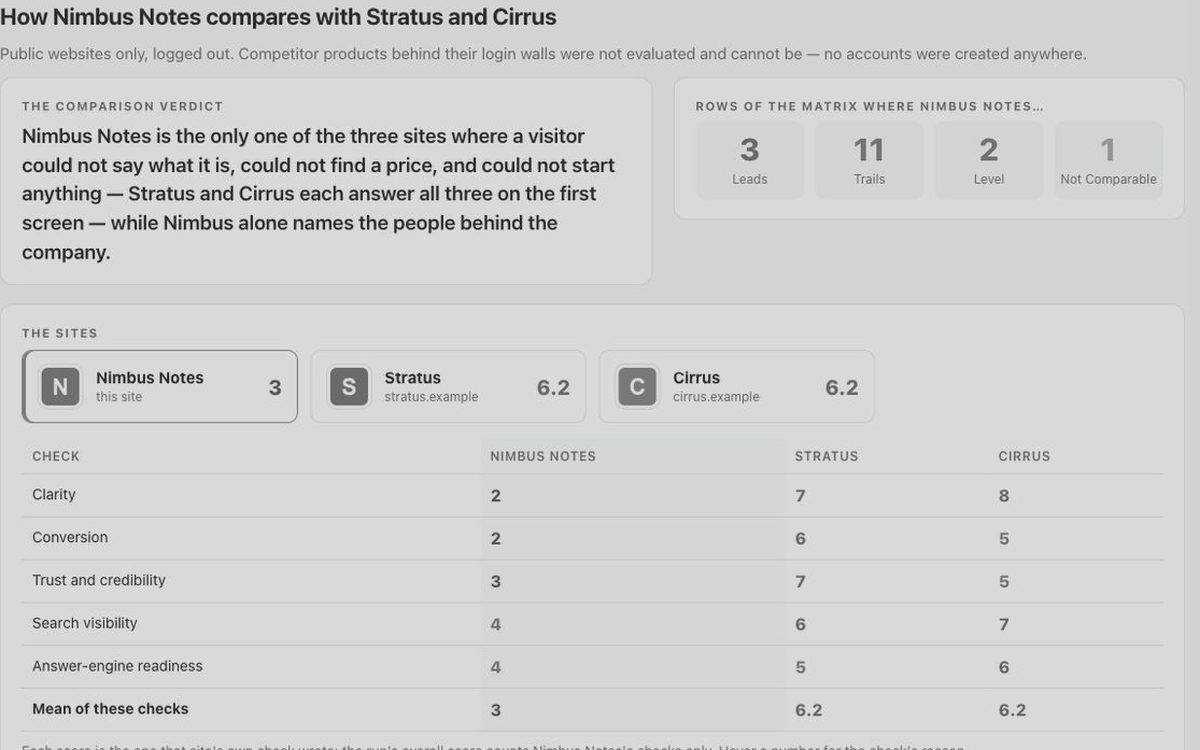
The same lenses on competitors you name, then a matrix of where you lead, trail or match — with their logos, their scores and their evidence.

10 / technical

How fast is it, really?

Core Web Vitals, page weight, image hygiene, third-party weight — mobile and desktop separately, labelled as lab numbers.

11 / seo

Can search engines read it?

Crawlability, indexability, titles, canonicals, structured data, internal links, sitemap and robots.

12 / aeo

Can an AI answer engine lift it?

Schema.org coverage, answer blocks that extract cleanly, entity clarity, llms.txt. Static markup only, and it says so.

The icp lens reads both kinds of run. Competitors are always yours to name — understudy never guesses who they are, because a wrong set produces a confident, useless comparison.

the icp lens

Who should this be built and sold for?

Most lenses ask whether the product works. icp asks who it works for — on the evidence of what it is, not on what the market is supposed to want. It reads what the stand-in user saw and did: the site's own words, its proof, its pricing, the flows the product actually has. From that it derives three ideal customer profiles and argues with each of them.

Positioning first, then fit × propensity.

Unique attributes the persona noticed → who cares most about each → five to seven candidate segments, labelled by where they came from (named by the site, implied by the product, the persona's own read, adjacent). Every candidate is scored on fit (pain, alignment, evidence, clarity) and propensity (reach, trigger, willingness to pay, openness to switching), 1–5, with ? where the run cannot tell — never a guessed 3.

Every profile carries the case against it.

What they use instead, the switching cost, the one fact that would kill the profile, and the cheapest one-week test — labelled as reasoning, kept apart from the findings. The trap segment (easy to sell, would churn) is named so nobody targets it by accident, and every candidate considered is listed, including the dropped ones.

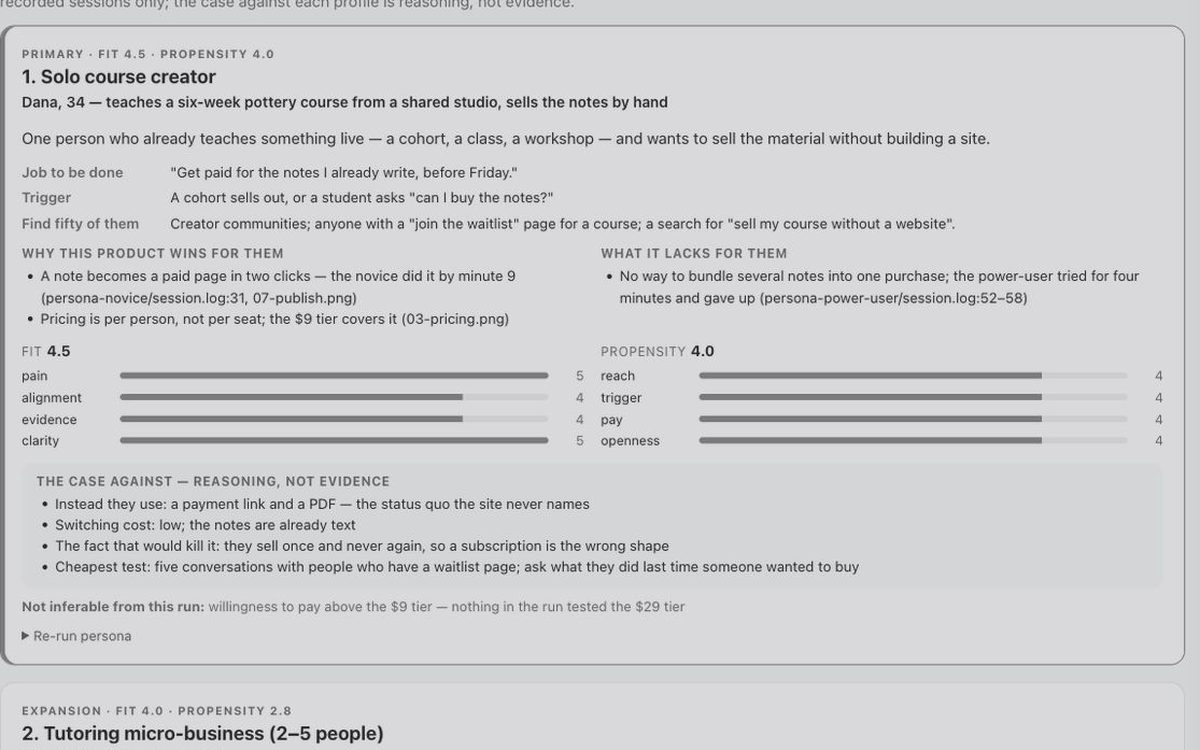
PRIMARY Solo course creator — fit 4.5 · propensity 4.0
Meet
Dana, 34 — teaches a six-week pottery course from a shared studio, sells the notes by hand
Who
One person who already teaches something live and wants to sell the material without building a site.
Job to be done
“Get paid for the notes I already write, before Friday.”
Trigger
A cohort sells out, or a student asks “can I buy the notes?”
Case against
A payment link and a PDF — the status quo the site never names. Kill fact: they never sell twice.
Re-run as
goal: "Sell my next cohort by Friday" · gives_up_when: "I have to build a page first"

The person is invented and labelled so — a face for the profile, never a name from the run. No market research: no web search, no reviews, no competitor pages. Where the evidence does not reach, the profile says not inferable. If fewer than three segments clear the bar, you get fewer, with the reason. On a website run the visit adds a short sweep of pricing, customers, integrations and “for whom” pages so the profiles rest on what the site says about its own audience. When the run ends, understudy offers once to save the three re-run personas as a target.

what you get

A document to send, an instrument to present from.

The run folder holds everything as markdown — every screenshot, log and lens report — and that is canonical. At the end you choose a rendered copy, and the two forms do different jobs.

The PDF.

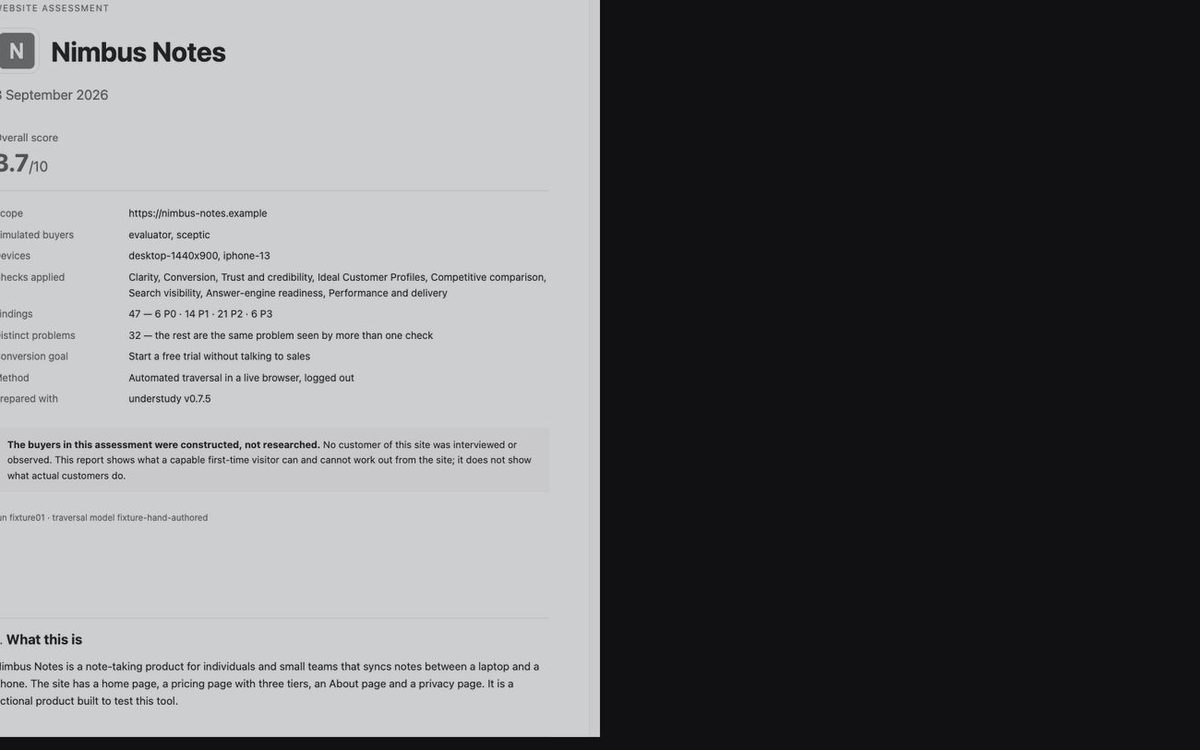
A cover with the site's own icon, the overall score and the finding counts. What the product is, how the run was produced, the Top 5 to fix first with what each costs the buyer, what a buyer could and could not establish, the personas in their own words — verbatim, each line checked against the log — the profile cards, then every lens report with its evidence. What you forward.

The interactive report.

One self-contained HTML file, opens offline, branded with the site's icon and accent. A dashboard with a score ring per check; a findings explorer with severity, check, persona and status filters and a detail drawer; a session replay per persona — the log line by line with the screen that was showing; the profile cards; a full-screen Present mode driven by the arrow keys; and triage — mark each finding accepted, rejected or fixed with a note, then export as JSON, CSV or markdown.
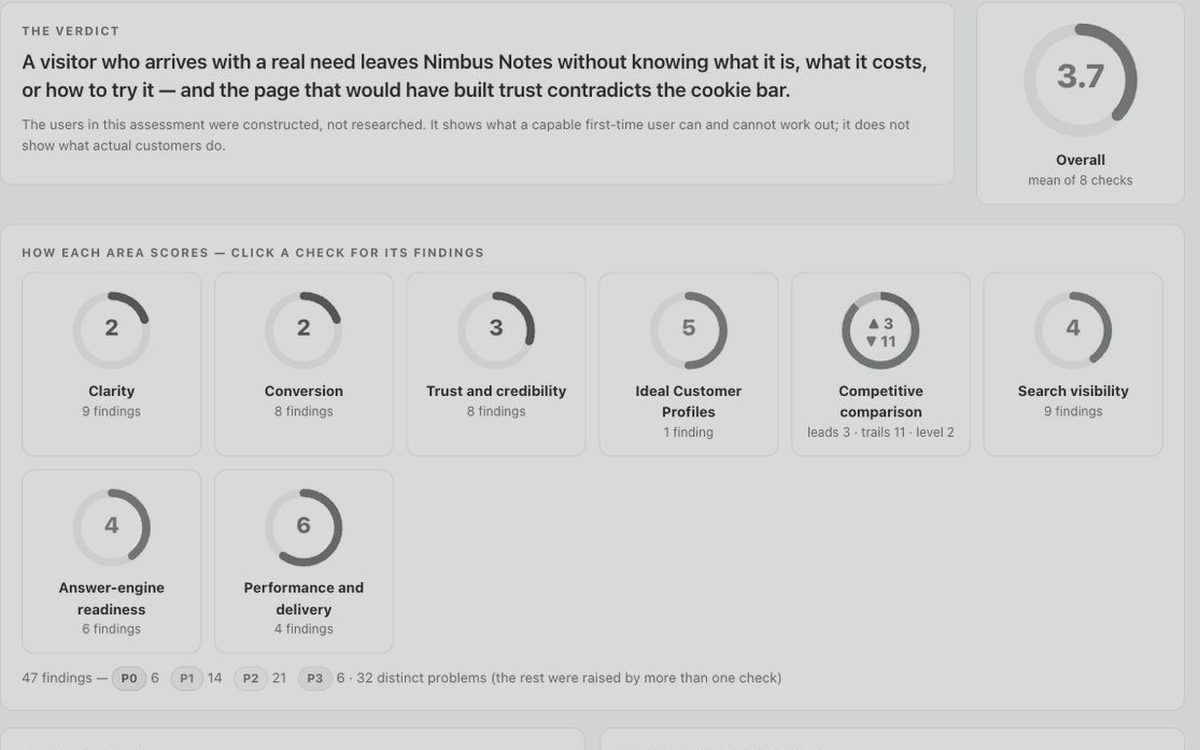
Overview of the interactive report: the verdict, an overall score ring and one ring per check
overview — the verdict, a score per check
Competitive comparison: three sites with logos, a lead/trail/level tally and scores side by side
competitive comparison — tally, scores side by side
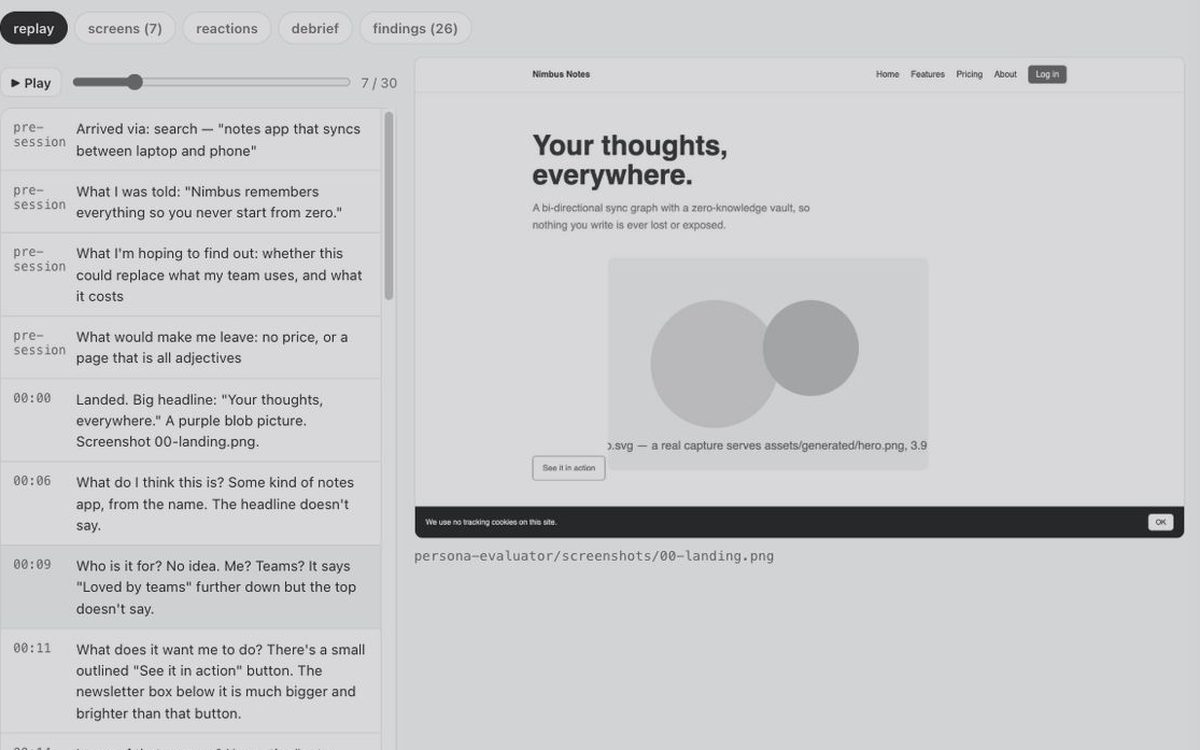
Session replay: the persona's log line by line beside the screen that was showing
session replay — the log, with the screen showing
An ideal customer profile card with fit and propensity bars and the case against it
ideal customer profiles — cards with the case against
The PDF cover: product, overall score, scope, buyers, checks and finding counts
the PDF — cover, with the caveat on the front

Every screen is a render of a fictional product — the test fixture that ships with the tool — greyed so nothing reads as a real client. Click one for full size.

Neither scores or rewrites anything: every number is read from the lens files, every quote and screenshot is the run's own. A report whose evidence dies on send is worse than one with no evidence, so both embed their screenshots — which also means that once you forward one, it is as sensitive as the run itself.

two invariants

Two rules that make the findings worth reading.

The stand-in never sees the scoring framework.

An agent that knows what it's looking for finds it every time. So the persona is told a goal and nothing else — no heuristics, no severity scale, no previous findings. A separate reviewer scores the recording afterwards. Nineteen words of analyst vocabulary are banned during the session and checked mechanically afterwards; one slip fails the run.

Every finding cites evidence, with no exceptions.

No screenshot, log line or network trace means the finding is dropped — and that holds hardest for findings that seem obviously true, because those are the ones nobody checks. Anything dropped goes in a list at the end, so there's somewhere honest to put a hunch.

P0 The app claims to know things about the user that it invented
So what
She stopped trusting the number it had just given her.
Evidence
screenshots/07-memories.png · session.log:53
In her words
“If it's wrong about that, is it wrong about my eggs?”
Fix
Scope the page to this product's own data, or remove it.

two commands, or a few clicks

Install

understudy is a Claude plugin. It runs in Claude Code — Anthropic's terminal app — and in Claude Cowork, the agent in the Claude desktop app. Both come with a Claude subscription. It does not run in the claude.ai chat window, because it needs a browser it can drive.

In Claude Code

It also needs Playwright MCP, a browser add-on for Claude Code — one command, once — because understudy drives a real browser and refuses to fall back to fetching pages over HTTP and calling it a session.

# once, in a terminal — gives Claude Code a browser
claude mcp add playwright npx @playwright/mcp@latest

# then, inside Claude Code
/plugin marketplace add dariobianchi00/understudy
/plugin install understudy

# then
/understudy:run https://your-product.com

In Claude Cowork

Cowork installs plugins from the same GitHub repo, through its own menu. A plugin installed in the Claude Code terminal is not visible to Cowork, so add it there as well.

  1. Open the Claude desktop app and switch to Cowork.
  2. In the left sidebar choose Customize, open the Plugins tab and switch to Yours.
  3. Click + at the top right, choose to add a marketplace from GitHub, and paste https://github.com/dariobianchi00/understudy.
  4. Install understudy from that marketplace.
  5. Give Cowork a browser: install the official Playwright plugin (claude plugin install playwright@claude-plugins-official), or add Playwright to Claude Desktop's local MCP config — Cowork reads local MCP servers from claude_desktop_config.json when a session starts.
  6. Start a session and type /understudy:run.

Cowork's plugin support is new and the menus move; if a step above has changed, the plugins page in Claude's docs has the current one.

It interviews you first — one question at a time — then shows you the plan and the time it will take, and waits. Reports land in a folder you choose on your machine. understudy itself uploads nothing and has nowhere to upload to. The one thing that leaves your machine is what the Claude model reads in order to score the run — the screenshots and logs — through your own Claude account, exactly as anything you paste into Claude does.

four questions

Questions people ask first.

What does understudy do?

It sends a stand-in user with a goal through your live product in a real browser, records where they hesitate, get stuck or give up, and scores that one recording through as many lenses as you ask for — usability, bugs, onboarding, content, ideal customer profiles, clarity, conversion, trust, page speed, SEO and answer-engine readiness.

Does understudy store my credentials or product data?

No. It never handles a credential: at a login screen it stops and hands you the browser. Reports and screenshots stay in a folder you choose on your machine; understudy uploads nothing. What the Claude model reads to score the run goes through your own Claude account, as anything you paste into Claude does.

Does it work in Claude Cowork?

Yes. In Cowork go to Customize → Plugins → Yours, press + to add the GitHub repo as a marketplace, and install understudy there; a terminal install does not carry over. Cowork also needs the Playwright browser plugin or a local Playwright MCP entry in Claude Desktop's config.

How reproducible are the findings?

Scoring the same recording twice with the same reviewers reproduces about 30% of individual findings and 43% of the serious ones; the themes are stable. Treat any single finding as one careful reading and open its evidence before acting on it.